The case list
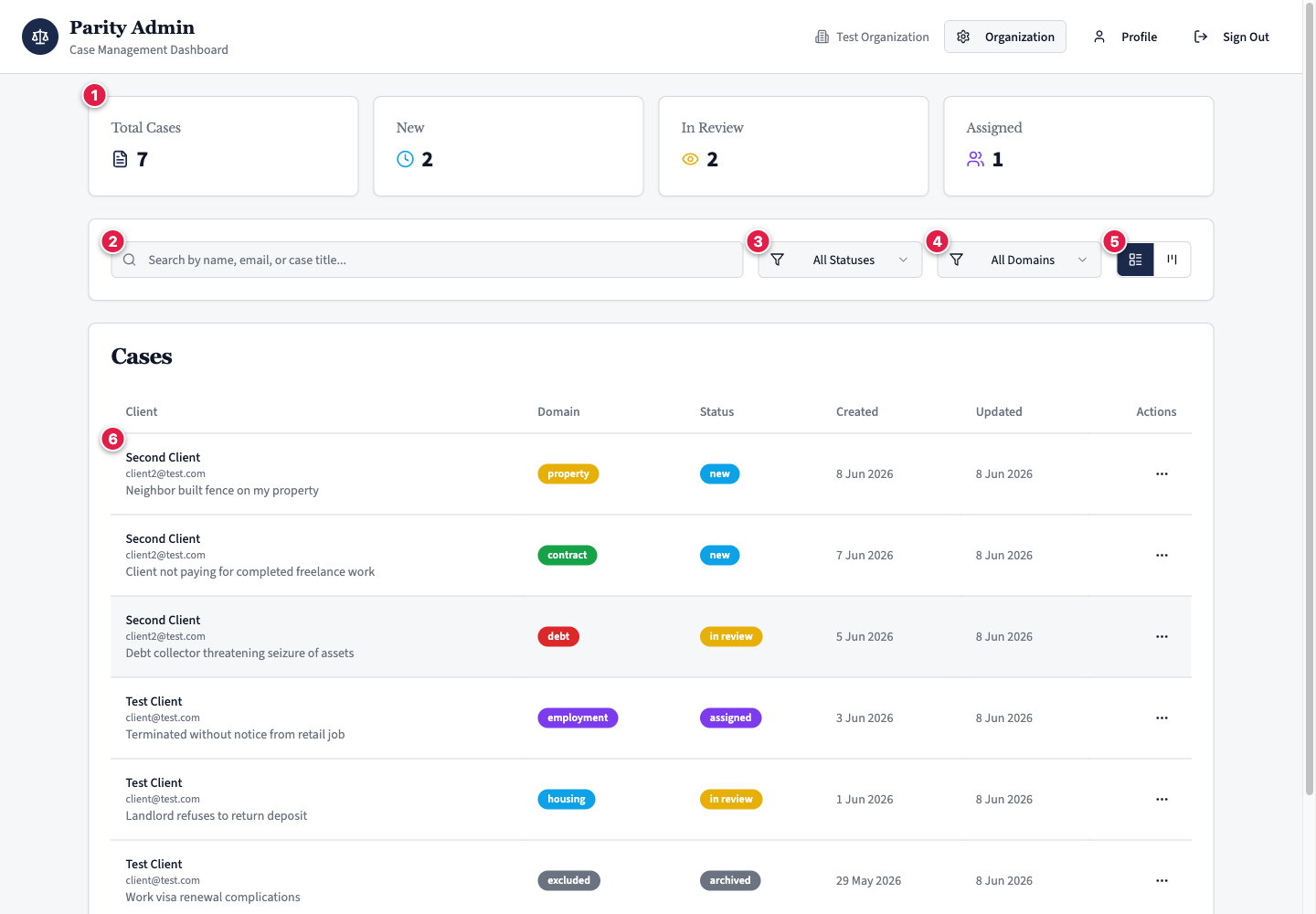
The dashboard is where every case in your clinic lives. It opens on the case list, with a summary strip across the top and the full list below.
The stats strip
Four counters give you the state of your clinic at a glance:
- Total cases — every case your clinic holds.
- New — created but not yet finalised by the client.
- In review — finalised and waiting for, or under, caseworker review.
- Assigned — taken on for action.
Table or Kanban
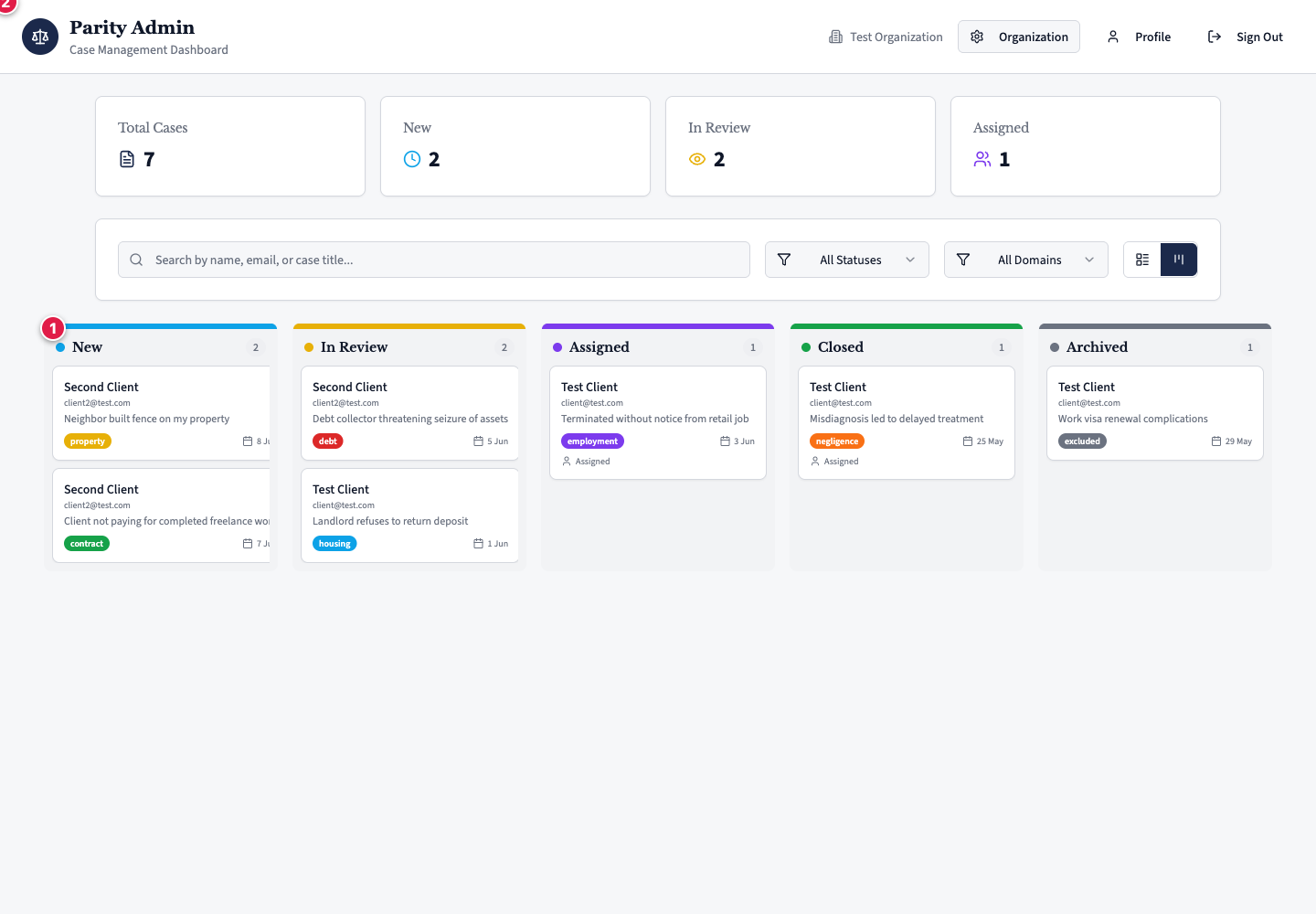
Use the toggle in the top right to switch between two views of the same cases:
- Table — a sortable list with client, domain, status, and dates.
- Kanban — a board with a column per status, where you can drag a case from one column to the next.
Filtering and search
- Filter by status — show only New, In review, Assigned, Closed, or Archived.
- Filter by domain — narrow to a single legal area.
- Search — by client name, email, or case title.
Your clinic only
Each clinic sees only its own cases. Cases never cross between clinics, and the separation is enforced at the database — see Data, privacy & safeguarding.
Row actions
Each case row has an actions menu:
- View — open the full case.
- Archive / Unarchive — move a case out of, or back into, the active list. Archiving is reversible.
- Delete — permanently remove a case. This is available to super admins only.