What clients see
As a caseworker or admin you work in the dashboard and rarely see the client's side of Parity. This page documents what a client experiences and the assurances they are given — useful when explaining Parity to clients or working through the consent and MOU angle.
Signing in
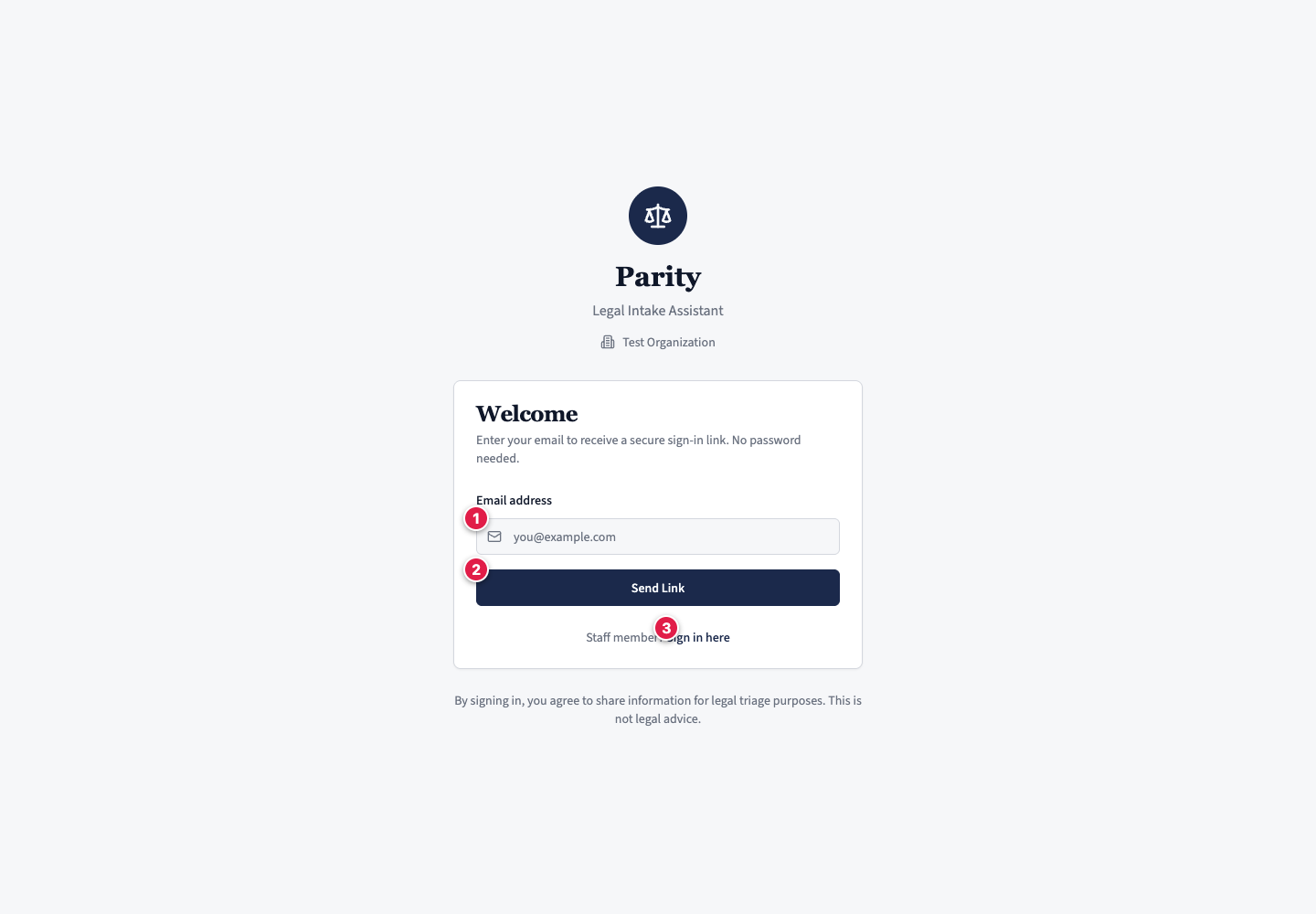
Clients sign in passwordless. They enter their email to receive a secure sign-in link — no password to set or remember — then return through the link in that email. Staff use the same passwordless sign-in, via the Staff Portal; see Signing in.
Consent
The client is shown two plain notices — neither is a tick-box. On the sign-in page:
By signing in, you agree to share information for legal triage purposes. This is not legal advice.
Then, once they choose your clinic during onboarding, a clinic-specific line:
Your information will be shared with the selected clinic for legal triage purposes.
Disclaimers in the chat
A disclaimer sits under the message box throughout the conversation:
Parity AI may make mistakes. This is not legal advice.
Before the first message, the welcome screen also carries an emergency banner:
This is not legal advice. If you're in immediate danger, call 999 now.
The banner is gone once the conversation starts.
Answering is voluntary
Using Parity at all is the client's choice — a client who prefers not to can still be helped by the clinic in the usual way. Within the conversation, no question is compulsory either: a client who cannot, or would rather not, answer something can say so and the assistant moves on. It also asks only what triage needs — see Data, privacy & safeguarding.
Uploading documents
During the chat the client can attach documents — PDF, images, Word, or text, up to 10 MB each. The assistant works from the file name only, not the contents; see Working a case and The case record.
More than one matter
A client can have several separate cases at once and switch between them. Each intake is isolated: the assistant only ever sees the current conversation, never the client's other cases or earlier ones.
See How it works for the full journey, and Data, privacy & safeguarding for how this data is kept separate.